My Word for 2014

My word for 2014 is listen. I am taking the One Little Word workshop for I believe the third year.  It’s a great online workshop that encourages you to pick a word for the year and each month she provides you with prompts to help keep the word present in your life. [Read more…]

Silhouette Sunday #3 – Organizing your files

organization1

Welcome back to Silhouette Sunday. Today I want to talk about using your files. I confess, I am weak when it comes to buying files. I buy files from the Silhouette store and I also obtain a whole lot of free files on the web. I will share those sources with you in future posts.

But the problem is that it can add up fast and before you know it, you have hundreds of files you just don’t know what you have and it seems daunting to organize.  But once you do it, you will be able to quickly locate the files you need and stop buying things you already have.

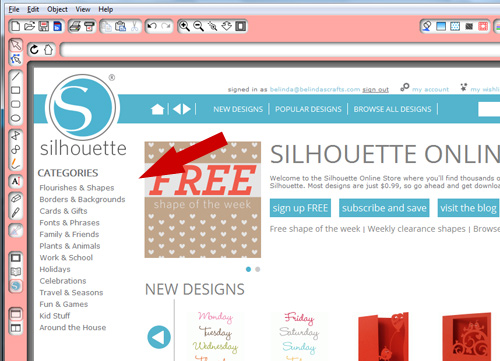
The first thing you should do is look at the categories that Silhouette has created in their store. They have 13 main categories and subcategories under each.This gives you an idea for a basic filing system and then from there you can expand to meet your needs. When you create your organizational structure around the Silhouette system, it makes it easy to know where to file the files once you buy them and quicker to find them later.

I have  attached included a list (in PDF format) of all the categories and subcategories.  Print them out for reference and then open up your Silhouette software.

To Create a Folder:

organization3

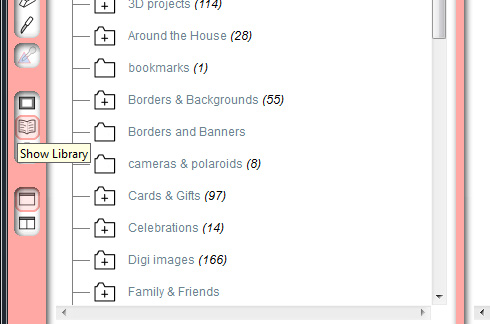
  • Click on Show Library icon
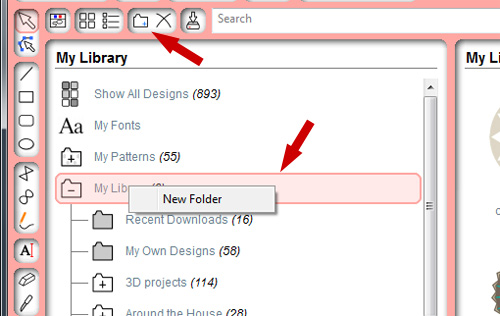
  • Then click on the New Folder icon on the top task bar or Right click on the My Library icon to create a new folder.

organization4


  • Then type the name for the folder. Use the PDF print out to guide you. Continue creating the 13 main categories and then you can go back and create sub categories (folders).

To create subcategories:

  • Click on the folder you want to create a subcategory under and click on the New Folder icon or right click the folder you want to have sub folders under.
  • Then name the folders.
  • Continue until you have as many as you like. I used their 13 main categories and then I modified a few to meet my specific needs.

Overall, you will find it easier to build off of their list because you will be able to file them as soon as you download them.

I still find this machine incredibly fun to use and look forward to expanding my knowledge and sharing it with you. Thanks for joining me today.

Happy Crafting!!!

Belinda

January Birchbox arrived!!

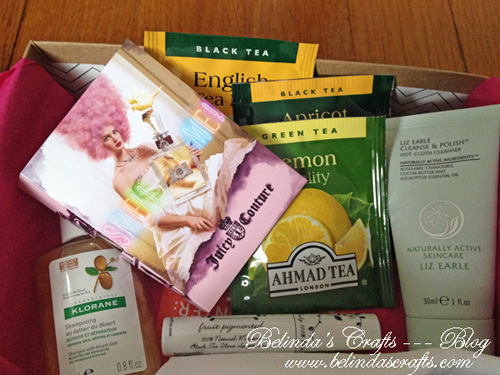
january2014birchbox3aI am still loving my Birchbox kits. The January kit was no exception. It arrived this week and it had 3 teas from Ahmad Tea London, a British tea company, [Read more…]

What’s on Your Workdesk Wednesday – #241

jan152014desk1

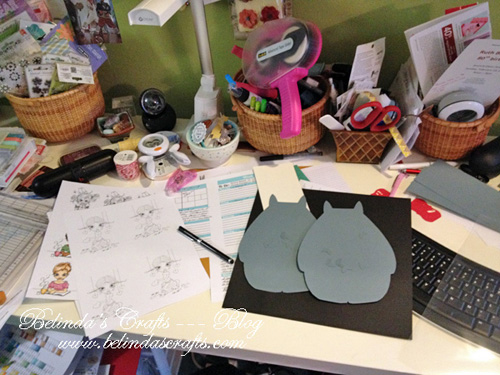
Happy New Year Everyone! I can’t believe it has been a month since I have checked in with my WOYWW peeps.  I can’t wait so see what you all are up to.

Well I will tell you what I am up to. I have stuff all over my desk. One big creative heap of goodness. [Read more…]

Follow

Get every new post delivered to your Inbox

Join other followers: